
 How to Fix Common Blue Screen of Death (BSoD) Errors on Windows
 How to Fix Common Blue Screen of Death (BSoD) Errors on Windows
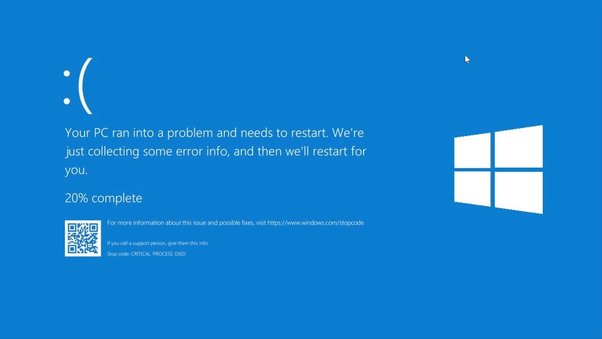
Few things are as jarring as the sudden blue screen of death (BSoD) interrupting your work. That little frowny face in Windows is no comfort. Often, you get a cryptic error code with no clear reason for the crash. Fortunately, we’ve got a guide to help you decode these errors and get your system back on track.
IRQ_NOT_LESS_OR_EQUAL: The Driver Dilemma
This error, related to Interrupt Request Level issues, usually means a program tried to access protected memory. It’s often due to driver problems. Try updating or reinstalling problematic drivers. It might also indicate a hardware issue, such as an aggressively overclocked graphics card.
PAGE_FAULT_IN_NONPAGED_AREA: Memory Mysteries
Similar to the IRQ error, this one deals with memory access issues. Faulty hardware or outdated drivers are common culprits. Often, it can be resolved by checking for faulty hardware or updating drivers.
DATA_BUS_ERROR: The Memory Maze
Despite its ominous name, this error usually means a memory issue.
Fixes:
- Use a memory check utility like MemTest86+
- Swap out RAM sticks to diagnose the problem
MEMORY_MANAGEMENT: BIOS Blues
This error often arises from incorrect RAM settings in your BIOS, particularly if you’ve overclocked your RAM. Ensure your RAM settings and voltage are correct.
MACHINE_CHECK_EXCEPTION: CPU Conundrums
Usually caused by an overclocked CPU, this error suggests instability. Returning your CPU to its stock speed can often resolve the issue. Overclock cautiously to avoid future problems.
FAT_FILE_SYSTEM and NTFS_FILE_SYSTEM: Disk Dilemmas
These errors signal problems with your hard drive or SSD. Back up important data, run a disk check utility, and follow up with a diagnostic tool from your drive’s manufacturer.
Steps to fix:
- Backup Important Data: Ensure you don’t lose any crucial files.
- Run Disk Check Utility: This helps identify and fix errors.
- Use Diagnostic Tools: Tools like CTools can help ensure your drive is safe to use.
INACCESSIBLE_BOOT_DEVICE: Boot Blues
Caused by corrupt sectors or incorrect disk mode settings in your BIOS. Running Windows Startup Repair or changing the disk mode from IDE to AHCI (or vice versa) can sometimes fix the issue.
SYSTEM_THREAD_EXCEPTION_NOT_HANDLED: The Mystery Error
If you see this or another unrecognized error, jot down any file names on the BSoD screen that could indicate the problematic driver or program. Updating, reinstalling, or removing these can resolve the issue.
For more IT support, visit Unebyte.com.